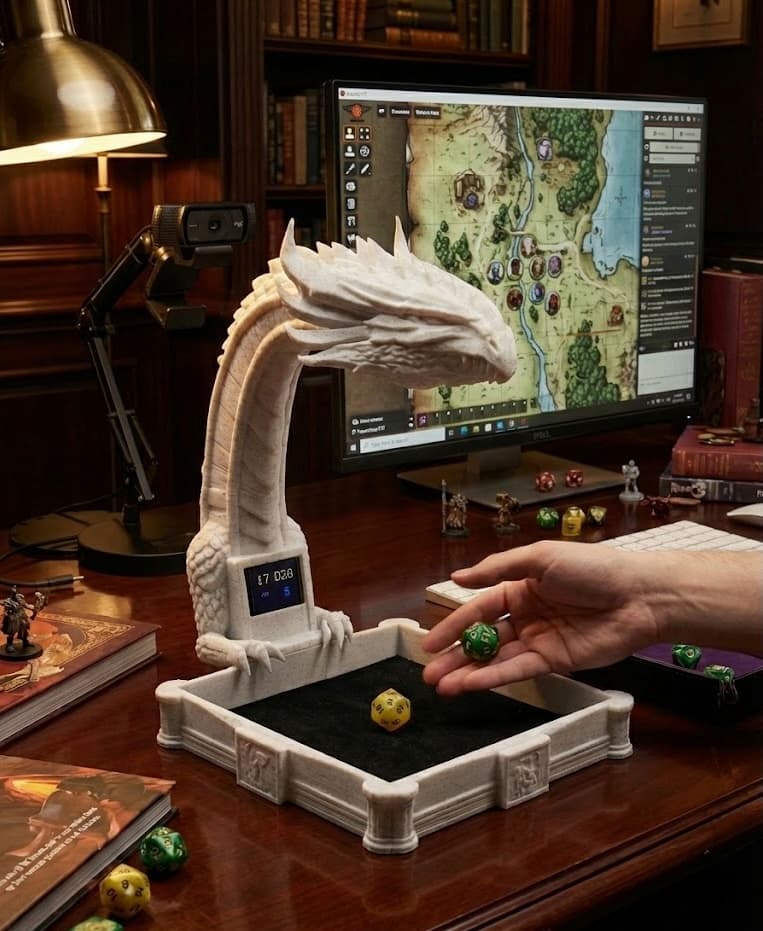
Roll for Real
Your dice rolled on your online table
RollSight is a free automatic dice reader that uses your camera to read physical dice and send rolls to Foundry VTT, Roll20, and Discord.
Free to use; subscriptions only for premium extras
Works today (free): Foundry VTT, Roll20, and Discord, including the same channel as Avrae (a popular Discord dice bot) - no subscription needed for your rolls to show up. RollSight Replay (a short clip inside Foundry) is an optional paid extra. Roll20 uses a browser add-on; Owlbear Rodeo and D&D Beyond remain planned.
You supply the camera. Phone, USB webcam, a desk document camera such as the IPEVO V4K, or our free 3D-print Dragon Rig files all work.
Keep your favorite dice. No special dice to buy. The more people play, the easier reads get for everyone.
Plays nice with





How it works
Three steps: aim a camera, roll, and let your online group see the same numbers you do at the desk. The app is free to use; create a free account when you first open it.
Use real dice online for D&D, Pathfinder, and other tabletop RPGs. RollSight provides camera-based dice recognition on Mac and Windows, turning a webcam or connected phone camera into a dice scanner for your virtual tabletop.
Step 1
Point a camera at your dice tray
Phone, webcam, document camera (e.g. IPEVO V4K), or DIY Dragon Rig. You bring the camera; many options work. No hardware purchase from us required.
Step 2
RollSight reads the tray
The app watches the camera feed and reads each roll as it happens. Check the result and correct any misreads before sending.
Step 3
Your table sees the result
RollSight sends each roll to Foundry VTT, Roll20, or Discord today. More online tabletop apps are on the way.
Pick a camera that fits your desk
RollSight is software only - you pick the camera. Most people start with a phone on a stand or a webcam they already own: aim straight down, add a little light, and you are rolling in minutes. When you want a sharper overhead picture, a document camera like the IPEVO V4K or a DIY Dragon Rig are great next steps.
Phone + mount
Clamp or stand your phone over the tray. Works with iPhone on Mac and Android on Mac or Windows. A simple desk mount plus our walkthrough is enough for many tables.
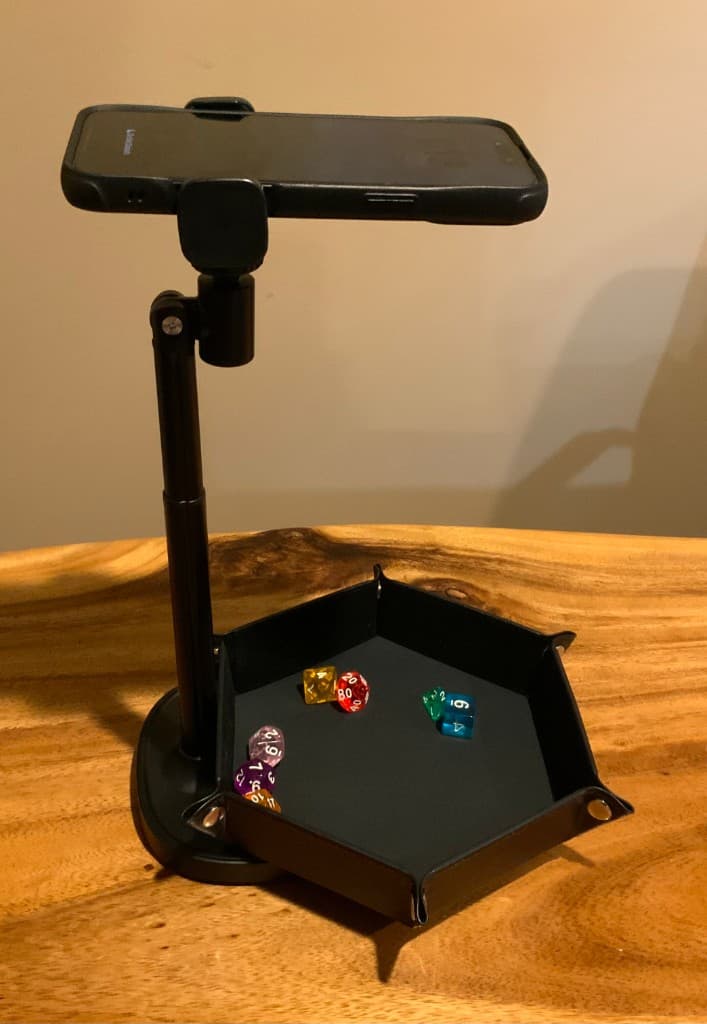
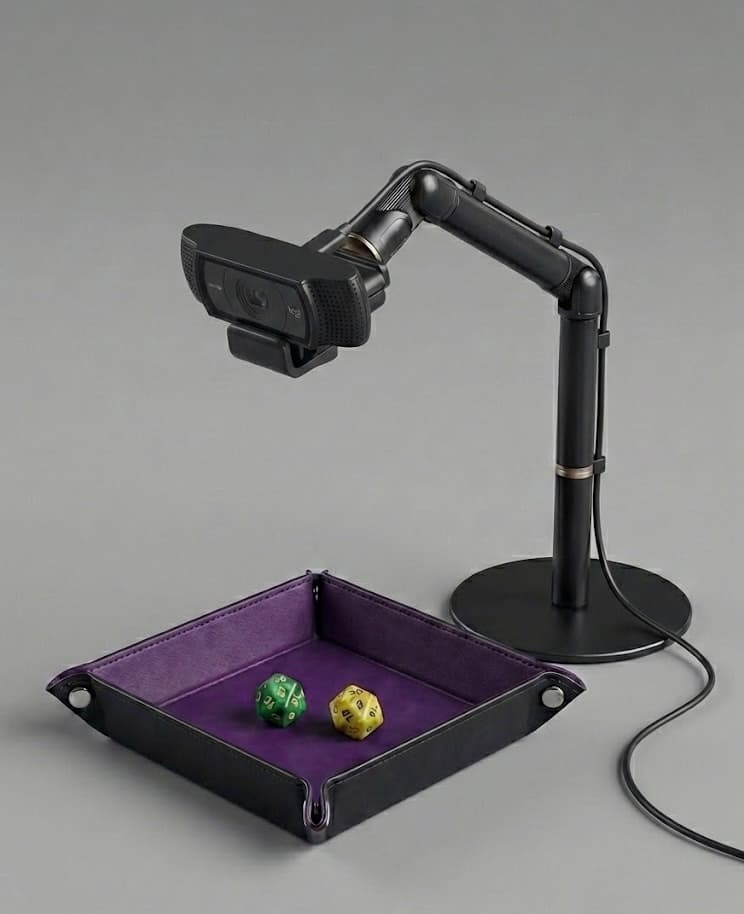
USB webcam
Many players already own a 1080p webcam. Add a stable mount and aim it straight down at the tray - our webcam guide lists solid models and placement tips.
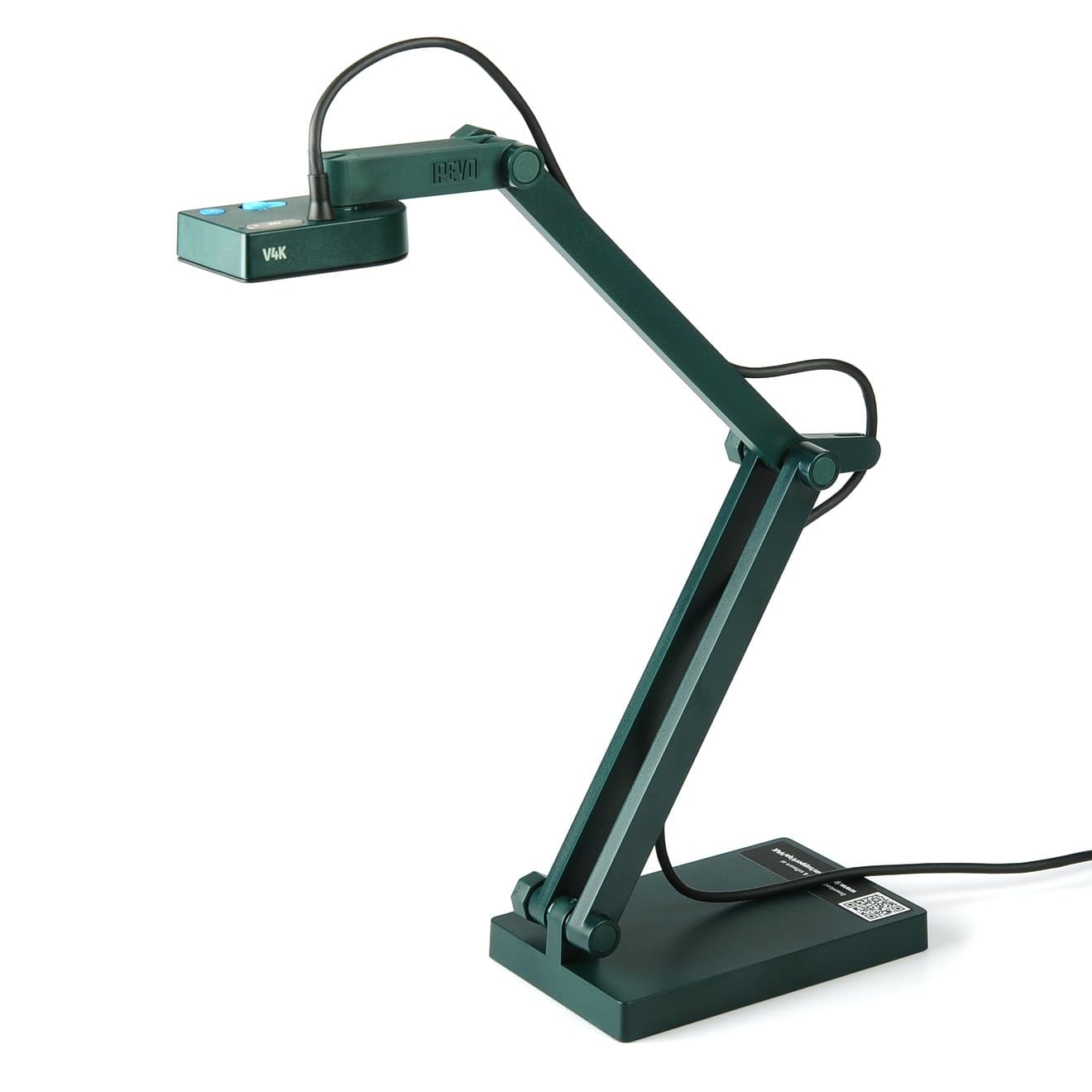
IPEVO V4K document camera
Plug-in USB document camera with a crisp top-down view, solid in dim rooms, and simple plug-and-play setup on Mac or Windows. Great when you want the clearest overhead shot without a DIY build.
Dragon Rig
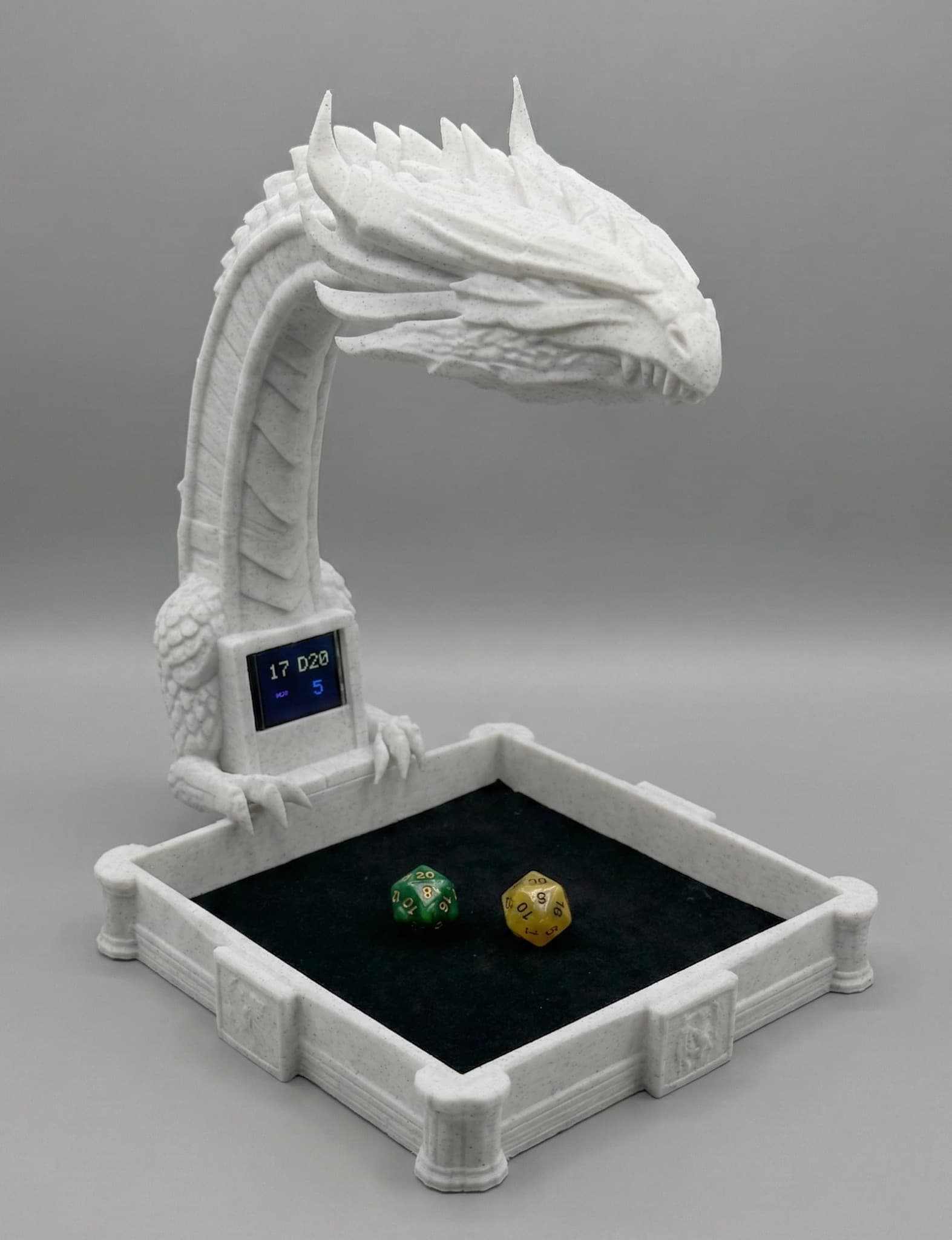
Free files on Printables: print the dragon body, add a small USB camera and optional screen from our parts list, and you get a tray plus a built-in spot for results. Use any dice you like.
Tested & known to work great
- Phone on a mount
iPhone with Mac, or Android with Mac or Windows - where most new players begin.
- IPEVO V4K
High-resolution USB document camera; our top tested pick
- Dragon Rig (DIY)
3D-print from the free files on Printables
Would likely work well
- Recommended webcams
Logitech C920, C922x, Razer Kiyo Pro, Elgato Facecam, Anker PowerConf C200
- Small USB cameras with fixed focus
Tiny plug-in cameras can work if the tray stays bright and steady.
Won't be great
- Low-resolution or very old webcams
Below 720p or poor low-light performance
- Built-in laptop cameras
Usually fixed angle and too far from the tray
- Poor lighting conditions
Dim or uneven light makes reads unreliable; add a lamp or brighten the room for best results.
Setup guides for webcam, phone mount, and Dragon Rig DIY.
What works today
Pick any camera setup that fits your desk. This list grows as we test more gear and connect more games.
Supported Today
Hardware
Tested & recommended
Desk camera we test most often. Sharp overhead view of the tray.
Free files on Printables
Print the free model, then buy the small camera and screen from our parts list.
iPhones (Mac)
Tested
iPhone as the overhead camera while RollSight runs on your Mac.
Android phones
Mac and Windows
Requires software that exposes the phone as a webcam on Mac or Windows.
USB Webcams
Likely to work well
Models like Logitech C920, Razer Kiyo Pro, and Elgato Facecam. Full list under Setups.
Game apps
Roll20Live
Browser add-on with dice tray controls, replay links, and selected D&D 2024 sheet requests.
Foundry VTTLive
Chat, 3D dice, roll requests, and optional RollSight Replay in Foundry.
DiscordLive
Post rolls into text channels. Follow the Discord guide to hook up your server.
Coming Soon
Camera Options
More cameras
More phones and webcams as we verify them in real games
Phone-first mode
Run from a phone without a desktop app (planned)
Game apps
Owlbear Rodeo
Simple online maps and minis for quick sessions
D&D Beyond
Tie physical rolls to your digital character sheet
Why players use RollSight
Reading your dice and sending rolls to your game stays on the free plan. When something is a Champion or Party extra, we call that out. Honest notes on which games we support today and what is still on the way.
Your dice, your table
Use the sets you already own. Correct misreads to save examples of your dice; unusual faces may need several views. No special shop-only dice required.
Shows up in your game
Foundry VTT, Roll20, and Discord work today. Roll20 uses our browser add-on; Discord can post alongside Avrae. Owlbear Rodeo and D&D Beyond remain planned.
RollSight Replay
Save a short clip of the dice leaving your hand and landing on the tray. In Foundry, players can tap to open the replay under the roll so the table can see what the camera saw. Champion and Party include online storage for replays.
See how your dice behave
Wonder if a die is streaky or fair? RollSight charts your results over time next to what fair dice would look like.
One link for your rolls
Share a personal page with stats from one night or your lifetime rolls so friends can see how the dice treated you.
A photo library that grows
Thousands of community photos of dice faces help reads stay steady. When you teach your set, you help the next person with a similar look.
Stream-ready replays
Give OBS a private replay link for each player. Each new replay plays once, then clears to a transparent background without sharing the camera.
Gets smarter as you play
Quick corrections save examples for your profile. Strong matches can help later reads; recognition of unfamiliar dice and changed angles is still being improved.
Connect to the game your group uses
Foundry, Roll20, and Discord are available now. Owlbear Rodeo and D&D Beyond remain on the roadmap.
Foundry VTT
LiveRolls show up in chat, optional 3D dice react on the table, and GMs can ask for checks the usual Foundry way. RollSight Replay adds an optional short clip of the real roll inside the chat message.
- In-game chat
- 3D dice on the table
- RollSight Replay
- Skill checks and saves
- Foundry add-on
Discord
LivePost clean roll summaries to a text channel - our guide walks you through setup, no coding needed. With RollSight Replay, messages can include a link to the clip. Avrae can stay in the same channel.
- Guided setup
- Formatted roll posts
- Optional RollSight Replay link
- Pick a channel per game
- Step-by-step guide
Roll20
LiveSend physical rolls to Roll20 chat with our browser add-on, dice tray controls, and replay links. Supported D&D 2024 sheet requests can ask for physical dice.
- Browser add-on
- Dice tray controls
- Replay links
- Selected D&D 2024 sheet rolls

Owlbear Rodeo
PlannedPlanned support for the simple browser-based table many one-shot groups love.
- Session-friendly setup
- Quick tables
- Free host option
- Planned

D&D Beyond
PlannedPlanned path from the tray to the digital character sheet your players already use.
- Link to your sheet (planned)
- Campaign-friendly rolls (planned)
- Sheet-ready posts
- Planned
Rolls without retyping
After you connect your game, RollSight watches the tray and sends each result for you. Roll at the desk and let the app handle the typing so everyone online sees the same numbers.
Show the tray on stream

Show each player’s roll with a private replay link: it plays once, then clears to transparent. There is no need to share the camera between apps. Our OBS Studio guide walks through a simple scene setup.
View Streaming GuideEveryone makes it better
Each time you fix a misread or train a new set, the whole community gets a little sharper. More tables mean smarter reads for the next person with similar dice.
Dice photos in the library
Crowdsourced from real tables
Rolls read so far
Climbing as more groups play
Share photos
Save photos of your dice faces so the next person with a similar set can start closer to accurate reads.
Teach your dice
Walk through a short on-screen flow so the app learns odd fonts, symbols, or custom molds you care about.
Benefit
Your corrections ripple outward: fewer double-takes at the table and faster setup for the next player with a lookalike set.
One shared library of dice faces
Think of it as a photo album every player adds to. Your sessions grow the library, and the library makes the next session faster for you and for anyone rolling similar dice.
Built together. Your training time pays forward.

Roll for real - start free
The RollSight app is free to download and use with a non-expiring account - connecting to Foundry, Roll20, and Discord is included. When you want shareable online stats, streaming helpers, and other premium tools, compare Champion and Party (with a trial when checkout is on) on the pricing page.