Roll for Real
Use your own dice for online play
Our software sends your real die rolls into the VTTs you use today. Foundry, Roll20, and more.
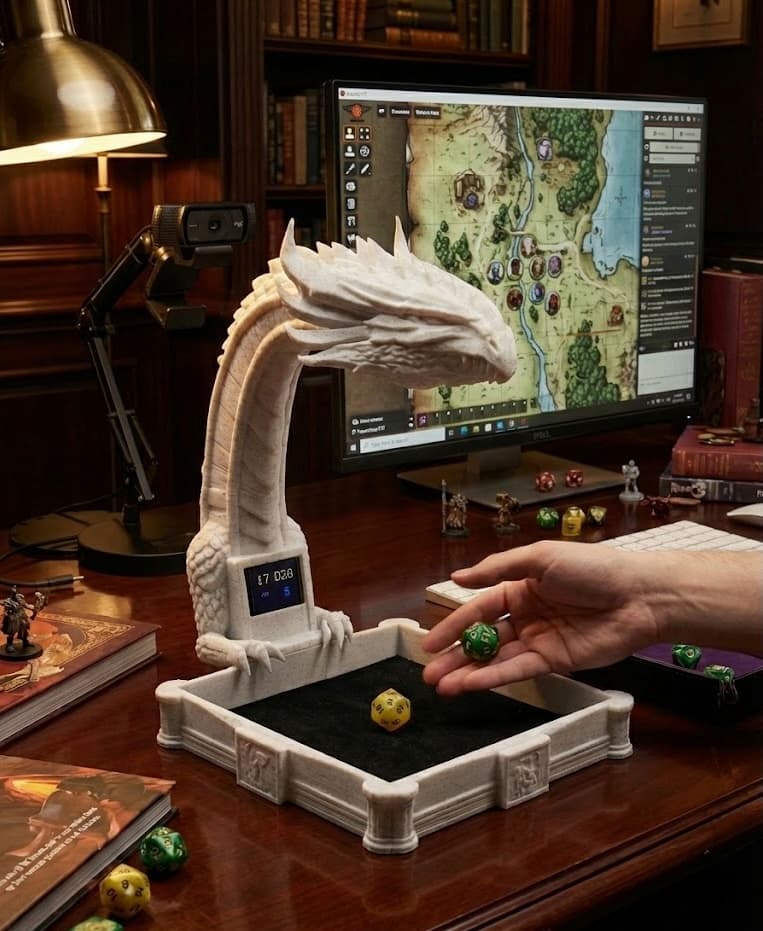
You need a camera pointed at your dice tray. Phone, webcam, document camera (e.g. IPEVO V4K), or DIY Dragon Rig: many flexible options.
Use your own dice. No special dice needed. Dice recognition improves with every person who uses it.
Made for:




How It Works
Real dice. Real rolls. Sent straight to your virtual tabletop.
Point a camera at your dice tray
Phone, webcam, document camera (e.g. IPEVO V4K), or DIY Dragon Rig. You bring the camera; many options work. No hardware purchase from us required.
Rollsight sees your rolls
Software recognizes your dice in real time. No special dice. Use what you own.
Rolls appear in your VTT
Your real die rolls are sent automatically to Foundry, Roll20, and other platforms you play on.
Bring Your Own Camera
Rollsight is a software tool that works with many camera solutions. You bring the camera; we handle the dice recognition. There are great off-the-shelf options (like the IPEVO V4K), or inexpensive desk mounts if you have the right phone—you're free to choose what works best for you.
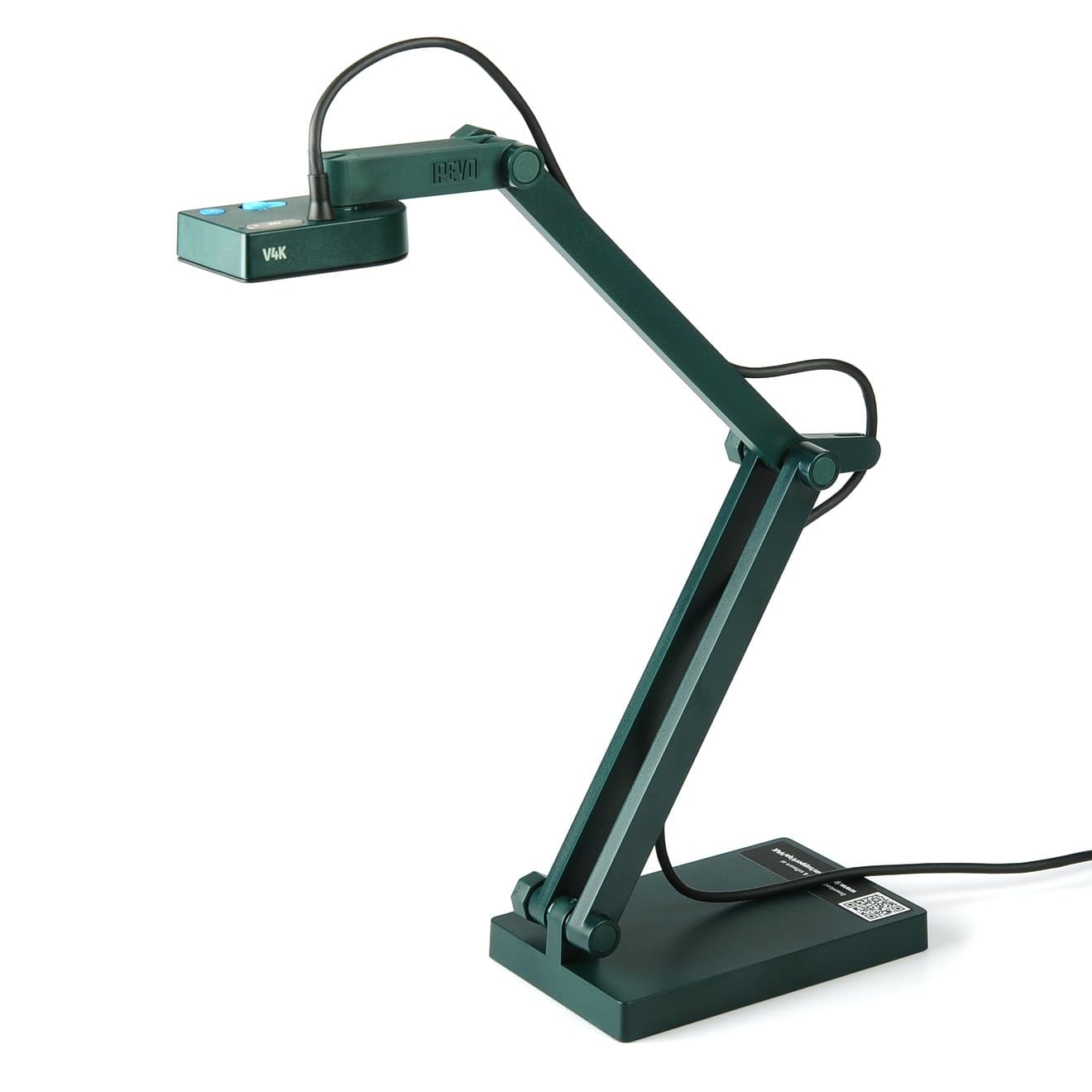
IPEVO V4K Document Camera
Off-the-shelf option. 8MP, up to 3264×2448, 30fps at full HD. Sony CMOS for great low-light—ideal for dice recognition. Mac, Windows, Chromebook. Plug-and-play USB.
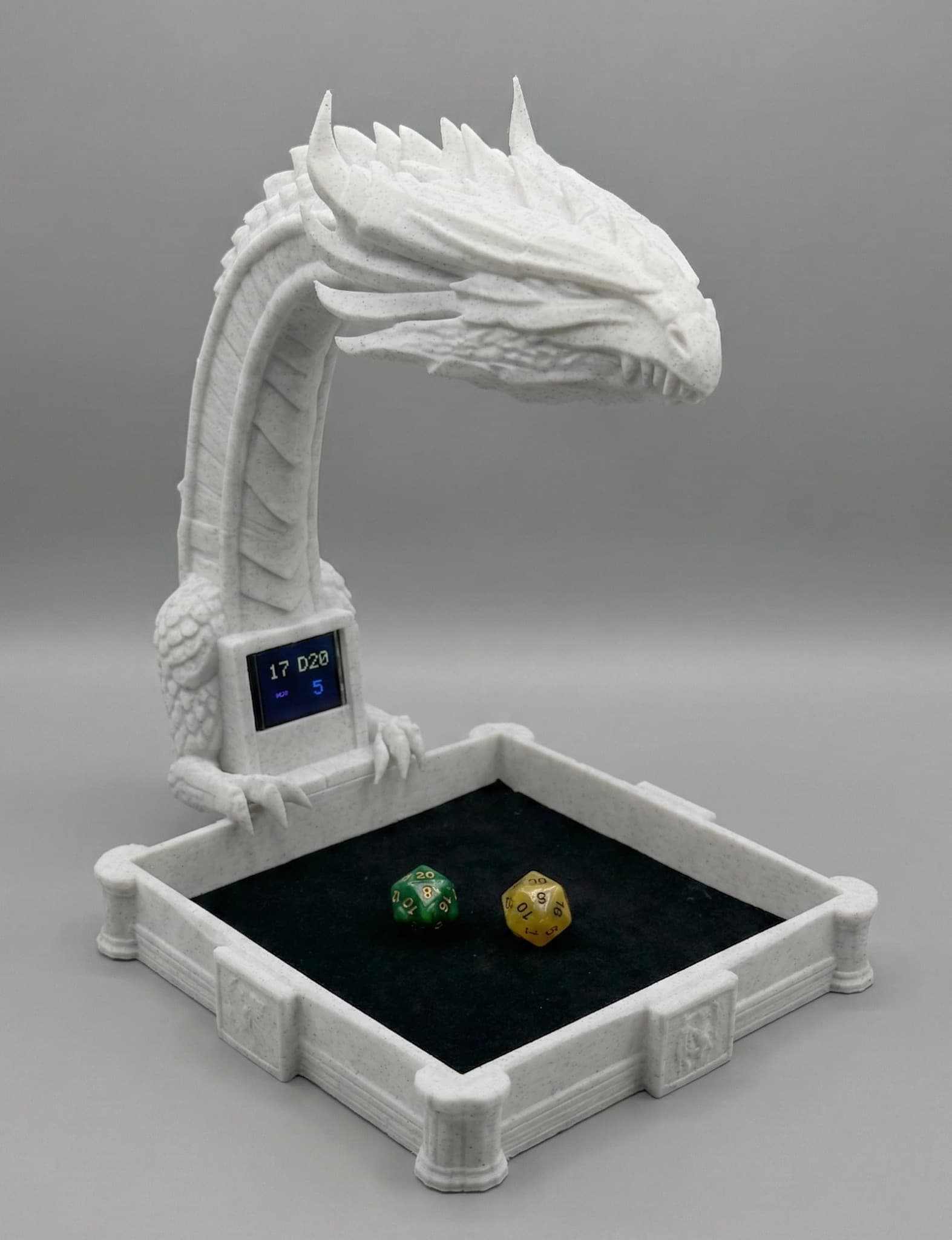
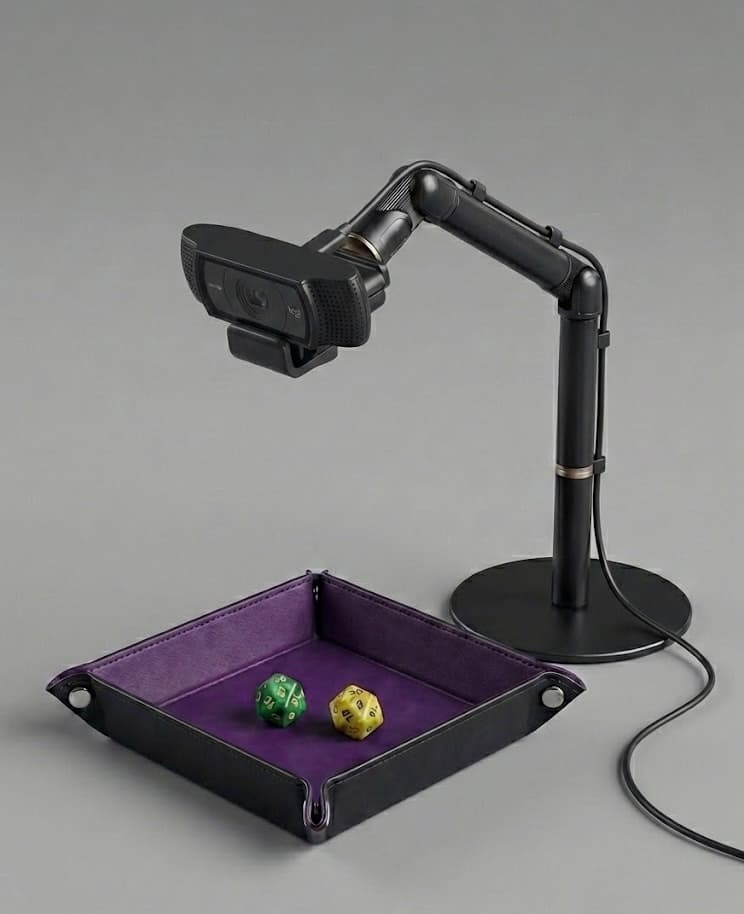
Dragon Rig (DIY)
We made this cool 3D model for Rollsight—and you can have the STL files for free. 3D-print your own calibrated dice rig; subscribers get the free STL files and an electronics parts list. Built-in tray and display; use your own dice.
Also works with
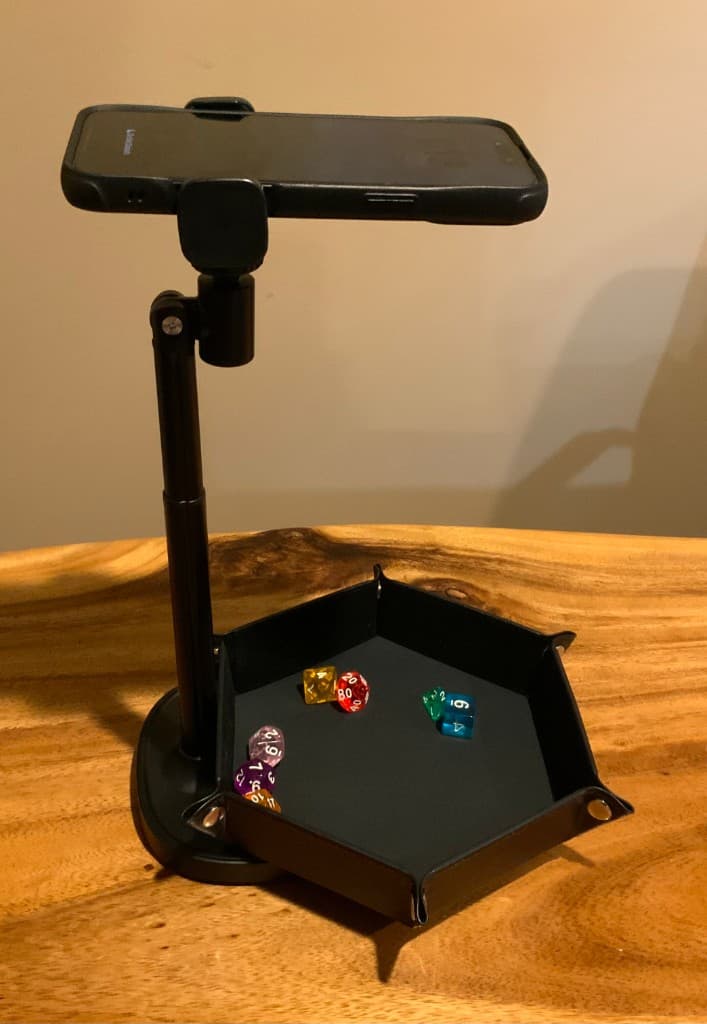
Tested & known to work great
- IPEVO V4K
8MP document camera — our top tested recommendation
- Dragon Rig (DIY)
3D-print from our free STL files + parts list
- Modern iPhone on Mac
Use your iPhone as the dice camera when running Rollsight on a Mac
Would likely work well
- Recommended webcams
Logitech C920, C922x, Razer Kiyo Pro, Elgato Facecam, Anker PowerConf C200
- Android (Windows & Mac)
Use your Android phone as the dice camera on both platforms
- Low-light, fixed focus or manual focus Arduino cams
Small USB/Arduino-style cameras with stable focus can work when lighting is consistent.
Won't be great
- Low-resolution or very old webcams
Below 720p or poor low-light performance
- Built-in laptop cameras
Usually fixed angle and too far from the tray
- Poor lighting conditions
Dim or uneven light hurts recognition; add a lamp or improve room lighting for best results.
Setup guides for webcam, phone mount, and Dragon Rig DIY.
What's Supported
Any of these camera options works. We're actively developing and adding support for more.
Supported Today
Hardware
Tested & recommended
8MP document camera. Our top tested recommendation for dice recognition.
Free STL + parts list
3D-print from our free files; source camera and display from our parts list.
iPhones (Mac)
Tested
Use your iPhone as the dice camera when running Rollsight on a Mac.
Android phones
Mac and Windows
Use your Android phone as the dice camera on both platforms.
USB Webcams
Likely to work well
Logitech C920, Razer Kiyo Pro, Elgato Facecam, and similar. See Setups for the full tiered list.
Integrations
Foundry VTTBeta
Chat integration, 3D dice, roll requests. Beta testing now.
Coming Soon
Camera Options
More Camera Options
Additional webcam and phone models as we validate them
Standalone Mobile
Phone app that works without a desktop client
Integrations
Roll20
Native integration with the popular browser-based VTT
Owlbear Rodeo
Lightweight VTT built for ease of use
D&D Beyond
Connect physical rolls to your character sheet
Discord
Share rolls in voice chat and text channels
What Makes Rollsight Work
The software gets better with more people using it. Your corrections and training help everyone.
Dice Performance Over Time
Think your dice may be cursed? Rollsight will help you prove it. See how your dice perform over time—rolls are trended against expected averages so you can tell if you're really rolling with fair dice.
Share Your Rolls
Every Rollsight user gets a unique weblink to show off their dice rolling performance. Share stats from a specific play session or your all-time rolls—let others see how the dice treat you.
Growing Dice Database
Access our community-built database of dice images. Thousands of images from hundreds of dice sets, continuously growing as our early adopters contribute.
Use Your Existing Dice
No special dice needed. Use what you own. The system learns your dice quickly, even unique or custom sets.
Dice Recognition
Models that improve as you use them. Your corrections help the shared database and everyone benefits.
Streaming Ready
The dice tray camera doubles as a video source for streaming. Easy integration with OBS and other streaming platforms.
VTT Integration
Works with Foundry VTT, Roll20, Discord, and other popular platforms.
Self-Learning System
The system learns from corrections, getting better with every roll. Your training helps everyone.
VTT Integration
Your real rolls go straight into Foundry, Roll20, and other platforms. Works with any dice-based game. Beta testing Foundry now.
Foundry VTT
Almost Ready!Full integration with Foundry VTT including chat messages, 3D dice animations, and roll requests.
- Chat Integration
- 3D Dice
- Roll Requests
- Module Support
Roll20
PlannedFull integration with Roll20 through browser extension and API.
- Browser Extension
- API Integration
- Chat Messages
- Macro Support

Owlbear Rodeo
PlannedIntegration with Owlbear Rodeo for dice rolling in your virtual sessions.
- Webhook Integration
- Real-time Updates
- Easy Setup
- Free Platform

D&D Beyond
PlannedConnect your physical dice rolls to D&D Beyond character sheets and campaigns.
- Character Integration
- Campaign Sync
- API Support
- Official Integration
Discord
PlannedShare your dice rolls directly in Discord channels. Great for voice chat games and community servers.
- Bot Integration
- Channel Messages
- Roll Formatting
- Easy Setup
Automatic Integration
Rollsight works in the background, automatically detecting your rolls and sending them to your VTT. No manual input required - just roll your dice and watch them appear in your virtual game.
Streaming

Your dice camera works as a video source for Twitch, YouTube, and other platforms, with easy OBS Studio integration.
View Streaming GuideIt Gets Better With You
Every correction and training session you make improves recognition for everyone. The more people use Rollsight, the better it gets.
Dice Images Trained
Growing database built by our community
Rolls Read
Growing every day
Contribute
Add your dice images to the shared database. Every set you train expands the collection for everyone.
Train
Teach Rollsight your dice. The system learns quickly, even unique or custom sets we haven't seen.
Benefit
Recognition improves for everyone. You get better accuracy and the whole community benefits from your contributions.
Access the Entire Database
This isn't just a database—it's a collaborative effort by our community. When you subscribe to Rollsight, you contribute to this shared knowledge base. Every dice image, every training session, every correction makes the system better for everyone.
Built by the community, for the community. Your contributions help everyone.

Ready to Use Your Own Dice Online?
Use your choice of camera—phone, webcam, IPEVO V4K, or DIY Dragon Rig. It gets better with every person who uses it.